
Quick start
Three flows. Each one assumes you have an Omni Pro II (or compatible) panel
and a .pca configuration export from PC Access. The first flow needs nothing
else — no panel reachable on the network, no HA install. The second adds the
panel itself. The third stacks Home Assistant on top.
1. Decode your .pca file
Section titled “1. Decode your .pca file”Pull the panel’s connection details (IP, port, AES-128 ControllerKey) out of
the encrypted .pca blob. No panel hardware required — the file already
contains everything you need.
# omni-pca isn't on PyPI yet — install from the Gitea release:pip install "omni-pca @ git+https://git.supported.systems/warehack.ing/omni-pca.git@v2026.5.10"
omni-pca decode-pca '/path/to/Your.pca' --field controller_key
Or, with no permanent install:
uvx --from "git+https://git.supported.systems/warehack.ing/omni-pca.git@v2026.5.10" \ omni-pca decode-pca '/path/to/Your.pca' --field controller_keyOther useful fields:
omni-pca decode-pca '/path/to/Your.pca' --field hostomni-pca decode-pca '/path/to/Your.pca' --field portomni-pca decode-pca '/path/to/Your.pca' --include-pii # full dump, with account infoThe cipher is not AES — it’s a Borland-Pascal LCG keystream XORed byte-by-byte
with the file. The per-installation key lives inside PCA01.CFG, encrypted
with a hardcoded key. See the file format reference
for the byte-level layout.
2. Talk to the panel from Python
Section titled “2. Talk to the panel from Python”With the ControllerKey in hand, open an encrypted session and ask the panel
who it is.
import asynciofrom omni_pca import OmniClient
async def main():    async with OmniClient(        host="192.168.1.9",        port=4369,        controller_key=bytes.fromhex("6ba7b4e9b4656de3cd7edd4c650cdb09"),    ) as panel:        info = await panel.get_system_information()        print(info.model_name, info.firmware_version)
        # Walk every named zone.        zones = await panel.list_zone_names()        for index, name in zones.items():            print(f"  zone {index:>3}: {name}")
asyncio.run(main())
The OmniClient async context manager runs the four-step secure-session
handshake, derives the session key (with the XOR mix),
sets up the per-direction sequence counter, and starts the background reader
task. When you await client.get_system_information() it sends a
RequestSystemInformation (opcode 22), waits for the matching reply,
and parses the payload into a SystemInformation dataclass.
The full surface — commands, status queries, typed event stream — is documented in the Library API reference.
3. Add to Home Assistant
Section titled “3. Add to Home Assistant”# From the project root, copy the integration into your HA config.cp -r custom_components/omni_pca/ \ ~/.homeassistant/config/custom_components/
# Restart HA.Then in HA: Settings → Devices & Services → Add Integration, search for HAI/Leviton Omni Panel, and fill in:
- Host — IP or hostname of the panel (e.g.,
192.168.1.9) - Port —
4369(HAI’s reserved port; default) - Controller Key — the 32 hex characters from step 1
The integration creates one HA device per panel plus typed entities for every named object on the controller — alarm panels for areas, lights for units, binary_sensors for zones, climate for thermostats, and so on. State propagates over the panel’s unsolicited push channel; a 30-second poll backstops anything that didn’t push.
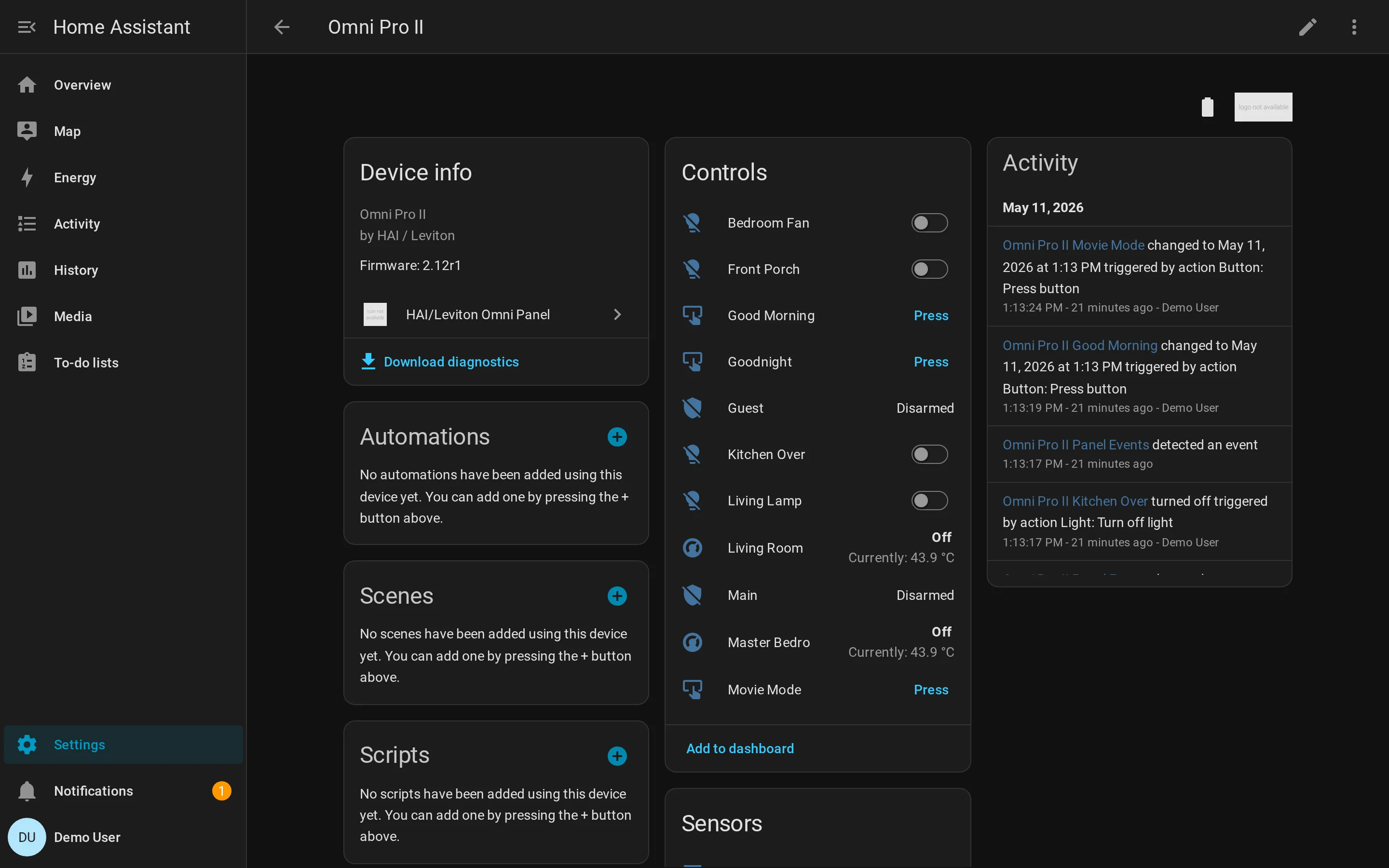
See the HA entity catalogue for what gets created and the HA service reference for the seven services you can call from automations.